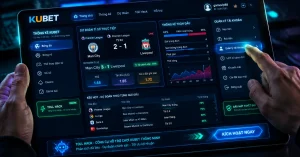
Kubet hack toll: The optimal solution for Kubet players
Kubet hack toll: The optimal solution for Kubet players
Table of contents
1. Overview of kubet hack toll
2. How to use kubet hack toll effectively
3. Part




Kubet hack toll: The optimal solution for Kubet players
Table of contents
1. Overview of kubet hack toll
2. How to use kubet hack toll effectively
3. Part

Kubet standard link – A safe and effective access channel for Vietnamese players
1. Introduction to the kubet standard link
1.1 Importance of the standard link
2. Guide

kubet 77 thabet188.com: A leading betting and entertainment gaming portal
Content categories
Introduction to kubet 77 thabet188.com
Guide to becoming a kubet agent effectively
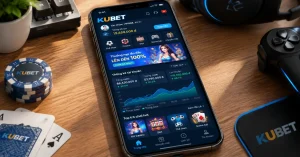
Introduction to the kubet ios hack tool – An effective support tool for playing Kubet
Article table of contents
Introduction to the kubet ios hack tool
Main features of the ku hack tool
Kubet company: Detailed review and current trends
Main content
Introduction to Kubet company
Activity schedule and events
Ranking and reputation

kubet rolanddy: Latest updates and detailed analysis
Table of Contents
Introduction to kubet rolanddy
Statistics and schedule of kubet rolanddy
Tactical analysis
This is the news section for people who want to quickly view the latest updates, featured news, and promotion milestones that are being mentioned a lot on Kubet77. The page is built for fast opening, clean filtering, and comfortable mobile reading.
What readers look for most is the big rewards, the pace of new releases, and notes related to deposits and withdrawals. For the VIP-following group, this page also gathers news about membership tiers, priority handling, and notable changes.

3 news items are pushed to the top because they have a clear update pace and are easy to read first.

Compiles updates around reward levels, release pace, and how users usually follow the news before entering a new session.
Read Details →
Suitable for people who want to quickly view notes related to membership levels, gifts, and priority support channels.
See More →
Focused on how to arrange the news so users can see the section they need right away, without having to scroll too long.
Explore Now →A list of the latest news in card style, easy to scan and easy to open on phones.
Readers often check this section before joining the evening session, especially when they want clear time markers.
Read Details →This section suits people who need to quickly check the processing flow and do not want to waste time searching through many sections.
See More →Helps users immediately spot news related to gifts, tiers, and priority handling.
View Updates →Cards, images, and read buttons are evenly spaced for quick actions, especially when you only need to skim a few news items.
Explore News →New users often open this section to see which offers are being mentioned most and which news should be read first.
Read Details →Clean, easy to understand, suitable for people who want to track benefits by tier.
See More →News that directly affects the reading experience is prioritized for display first.
View Updates →This section is for people who want to quickly see commercial highlights without having to check each page.
Explore Now →Information is arranged by topic clusters, making it pleasant to read continuously on a small screen.
Read Details →Readers can quickly open the relevant section without having to go through many menu layers.
See More →The highlight is the large number, clear presentation, and reading pace suited for quick viewers.
Explore News →This section helps users avoid missing important news when following multiple updates at once.
View Updates →Topics that are being opened a lot and easily lead readers to related news clusters.
The categories are kept short so readers can switch pages faster.
| Category | Quick reading points | Content suggestions |
|---|---|---|
| Promotion | Big numbers, clear offers, easy to scan on mobile | +889K, +888K, +999K |
| VIP | Benefits by level, exclusive gifts, priority flow | 7-level VIP, priority handling, member gifts |
| Payments | Withdrawal pace, processing notes, concise reading guide | Fast withdrawal, track processing milestones |
| Events | Release schedule, weekend milestones, new announcements | Events, update schedule, featured news |
| Mobile | Easy reading, clear cards, fewer extra steps | Latest news on mobile, neatly filtered |
A cluster of related news so readers can continue on the right topic without losing the flow.
Suitable when you want to keep reading news with the same commercial tone and the same emphasis on numbers.
See More →This group connects well with updates about tiers, gifts, and how to read benefits by level.
Read Details →Users often open this cluster after browsing promotions and want to check transaction processing details.
Explore Now →The news page is arranged to be easy to check, easy to update, and easy to reread.
Each news cluster is arranged by freshness, prioritizing the parts readers usually need to see first: promotions, VIP, payments, and events.
Present only the information already available in the original content and the items shown on the page, without adding unverified conditions or numbers.
Cards, badges, and read buttons are spaced evenly so users can skim for a few dozen seconds and grasp the main points.
When they need to see more, readers can go to the FAQ, terms, or privacy page to check background information.
This block keeps only the right amount of commercial emphasis, without overdoing it.
Linked to featured news, member offers, and the update rhythm that’s being read a lot on Kubet77.
Get the latest news in step with updates, especially when there are big offers or member announcements.
Open the news page when you need a quick look at promotions, event schedules, VIP notes, and updates related to withdrawals.
Questions readers often open before viewing news or moving to another section.
The page prioritizes newly released news, featured news, and sections with high reading activity. When there are new updates, they are pushed to the top for easier viewing.
Readers can go from badges, topic groups, or the cards in Latest News to the exact cluster they need to view.
Yes. The card layout is arranged vertically, and the images and read buttons are kept at a moderate size so they’re easier to use with your thumb.
The page only presents information already available in the original source and existing content, without adding unverified conditions or figures.
Users can open the Latest News block, the Trending News section, or go back to the News page to see items that have just been pushed to the top.
Yes. These three groups are being set up as separate clusters so readers can filter quickly based on their actual needs.
You can view FAQ, Terms, and Privacy if you need to check background information before continuing to read.
If you’re following promotions, VIP, or transaction updates, just open this news page first. The section you need is usually right in the first few cards.